Practical privacy, from the start.
Original uBlock Origin, Strict ETP, and Firefox fingerprinting protection. Active protection without asking everyone to tune dozens of settings. We do not promise anonymity or an unidentifiable fingerprint.
A calmer way to browse. Privacy from the start, room to breathe, and local AI that you choose to enable.
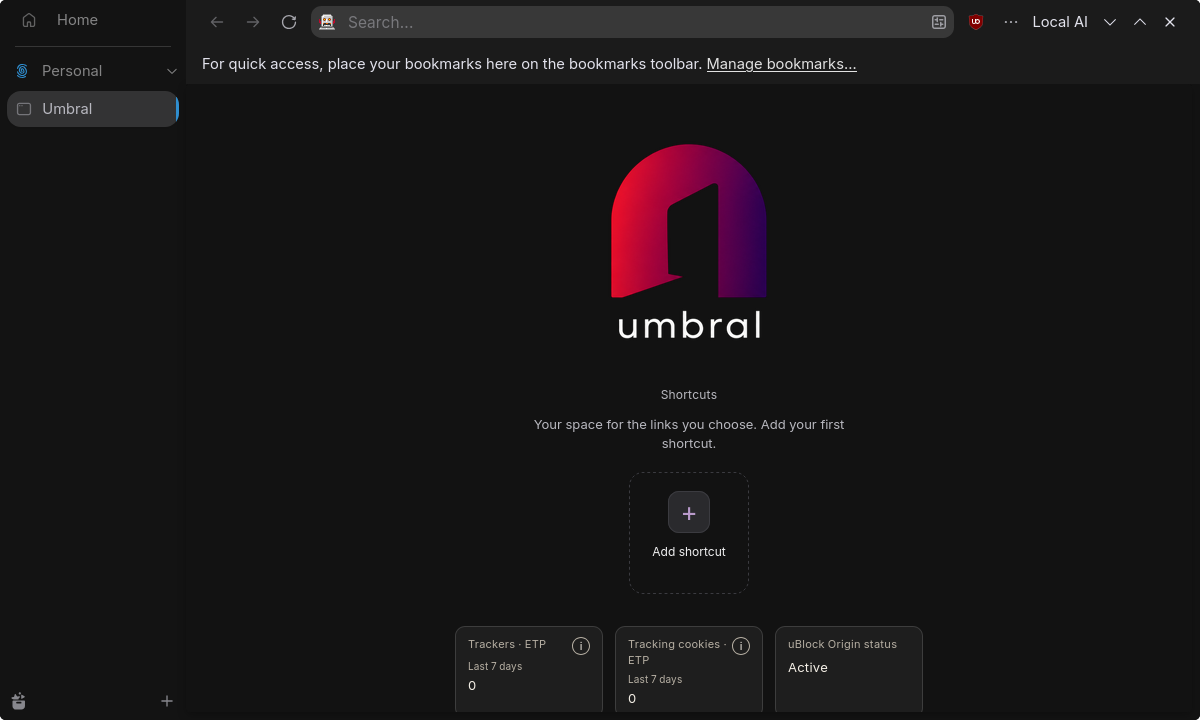
Umbral combines the foundations of Zen and Firefox with its own experience. The aim is to browse with less clutter, reduce tracking, and choose which tools belong in your browser.
Original uBlock Origin, Strict ETP, and Firefox fingerprinting protection. Active protection without asking everyone to tune dozens of settings. We do not promise anonymity or an unidentifiable fingerprint.
Vertical tabs, containers to separate contexts, and a homepage with shortcuts you add yourself. The idea is to keep what matters close and reduce distracting elements.
Choose your search engine, connect your own SearXNG instance, and decide whether to use built-in password saving or an external manager. Mozilla account sign-in controls have been removed from the interface.
The source and credits are available. Umbral is a project in development: ETP records are not presented as uBO blocks, and we do not claim performance gains that have not been demonstrated.
Features already included in development builds, refined through real-world testing.
uBlock Origin keeps its original extension, popup and settings. The homepage shows its status and ETP tracker and tracking-cookie records for the last seven UTC days.
DuckDuckGo is the starting point. Choose another engine or add SearXNG using your own URL. Connecting to that instance requires confirmation and does not enable remote suggestions.
Editable, reorderable shortcuts, inherited containers for new tabs, and extensions beside the address bar. An experience designed to adapt to you.
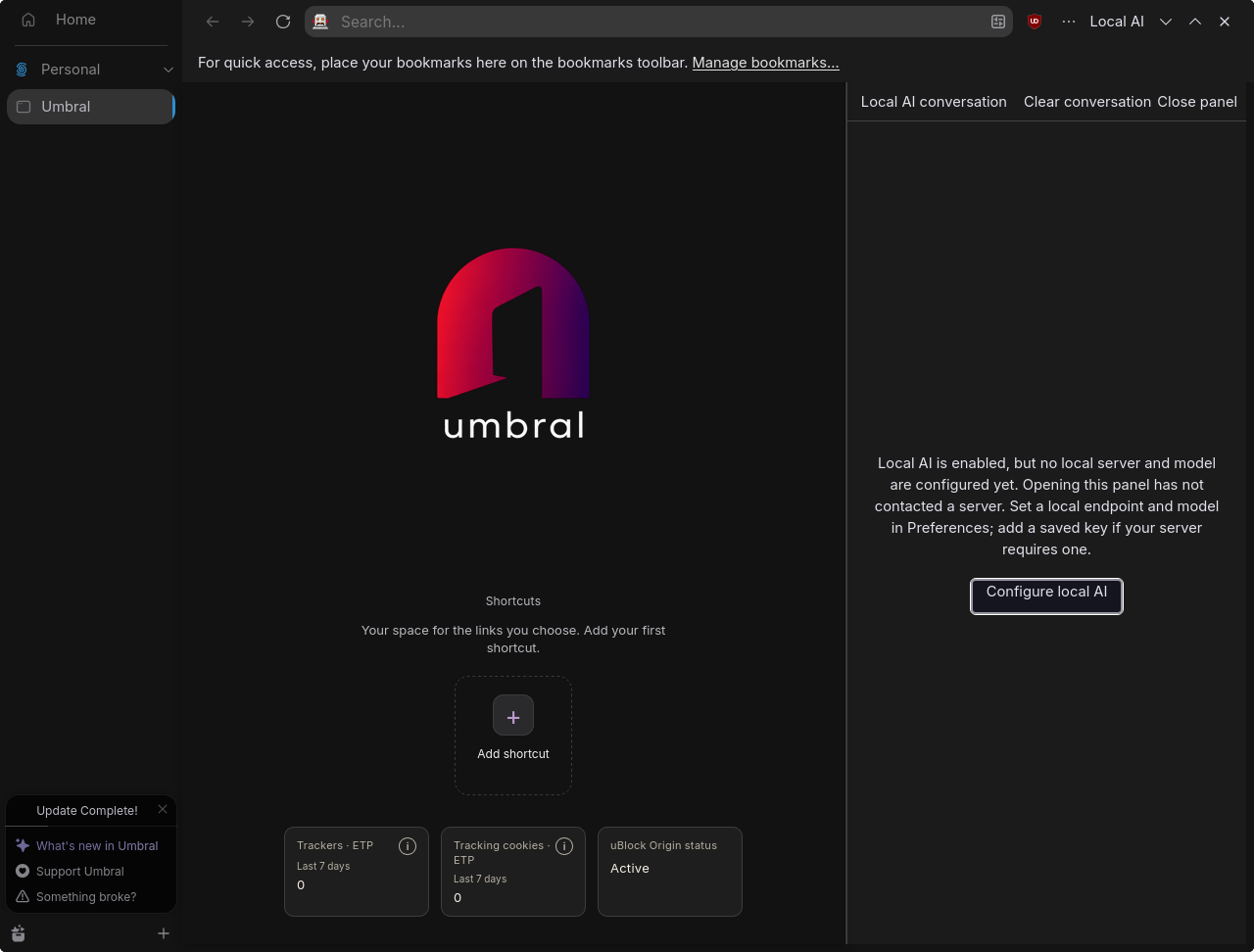
Enable the optional sidebar and connect a local server compatible with the OpenAI API. Umbral does not bundle or run a model itself: you choose the server and model.
Optional · Off by defaultOpening the panel or saving settings does not make requests. Only conversation text is sent when you send a message; pages and browsing history are not collected automatically. Conversations stay in memory, separated by window and between normal and private browsing.
Linux with Flatpak is the primary platform and the recommended option. Windows is offered as an experimental ZIP with manual updates.
Flatpak for Linux x86_64, built and tested during development. This is the primary platform.
Build guide ↗Experimental ZIP for Windows x86_64. Installation and updates are manual; bugs are expected.
This is not a published stable release. Browser updates are manual; extensions have their own update mechanism.
No. Blocking and privacy protections reduce exposure, but do not guarantee anonymity or an unrecognizable fingerprint.
Not automatically. It receives the text you send to your configured server. You can open the panel without configuring a server; chatting requires a running, connected compatible model.
Records classified by Firefox ETP for today and the previous six UTC days. These are not ads, HTTP requests or uBlock Origin statistics. Zero means a successful query with no records; a failure shows “No data”.
No. It is a Zen fork, based on Firefox, with its own interface, homepage and integrations. The project retains the credits and licenses of Zen, Mozilla, uBlock Origin and its other components.
Linux with Flatpak is the primary platform. Windows is offered as an experimental ZIP with manual updates.
Guides, privacy and help, all in one place.
Test packages and instructions that keep your profiles separate.
Read guide →Your guide to starting, configuring and understanding Umbral.
Read guide →What Umbral protects, what it stores, and when data can leave your computer.
Read guide →Find known limitations and prepare a useful report.
Read guide →Why Umbral exists and what wider distribution still requires.
Read guide →How to propose reproducible changes without losing persistent sources.
Read guide →